Product · Natural Language Queries

Your analyst has a 4-week backlog.
Ward answers in seconds.

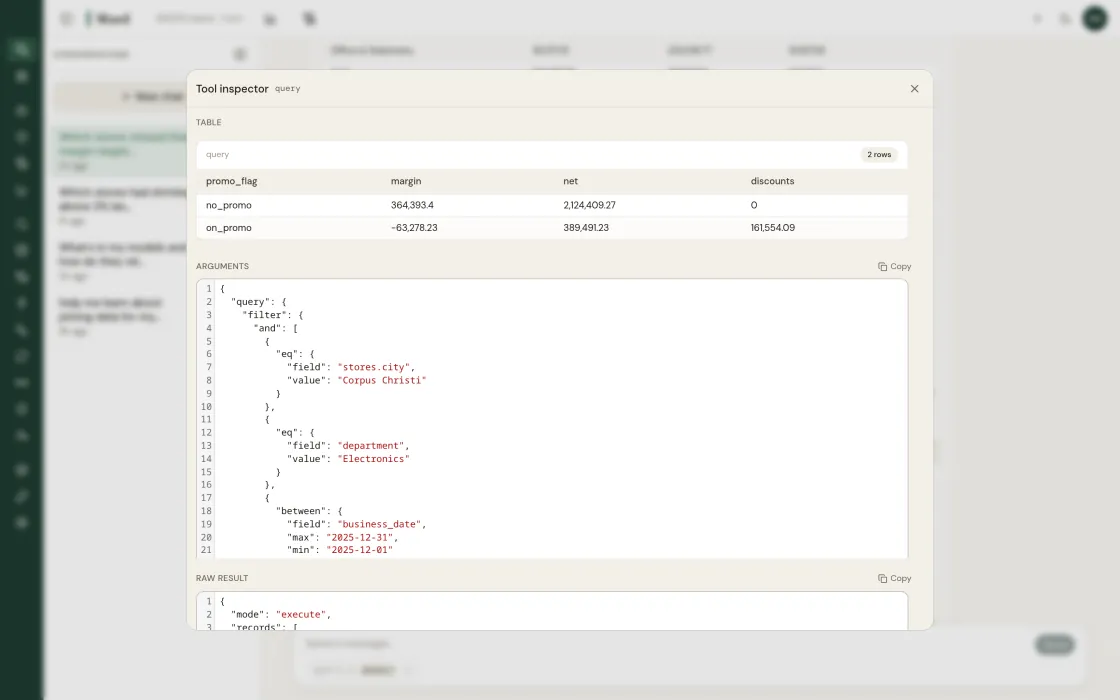
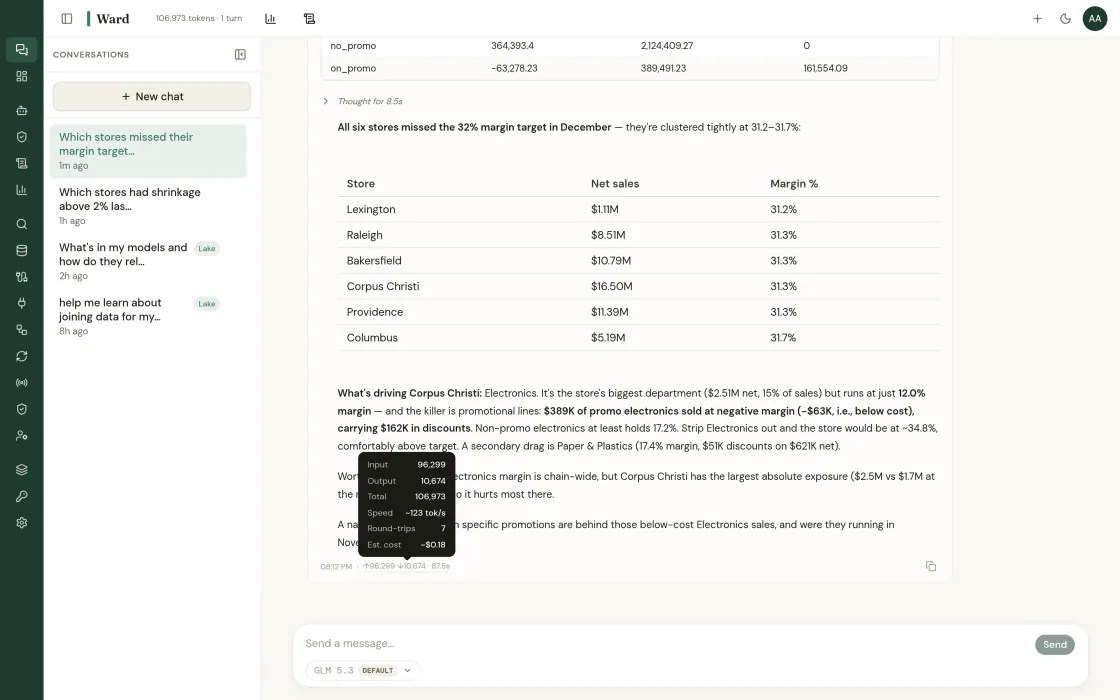
Most ad-hoc questions take a week. Ward queries every data source at once and returns the root cause with charts the same day. Click any number to see the SQL.

One question. Full investigation.

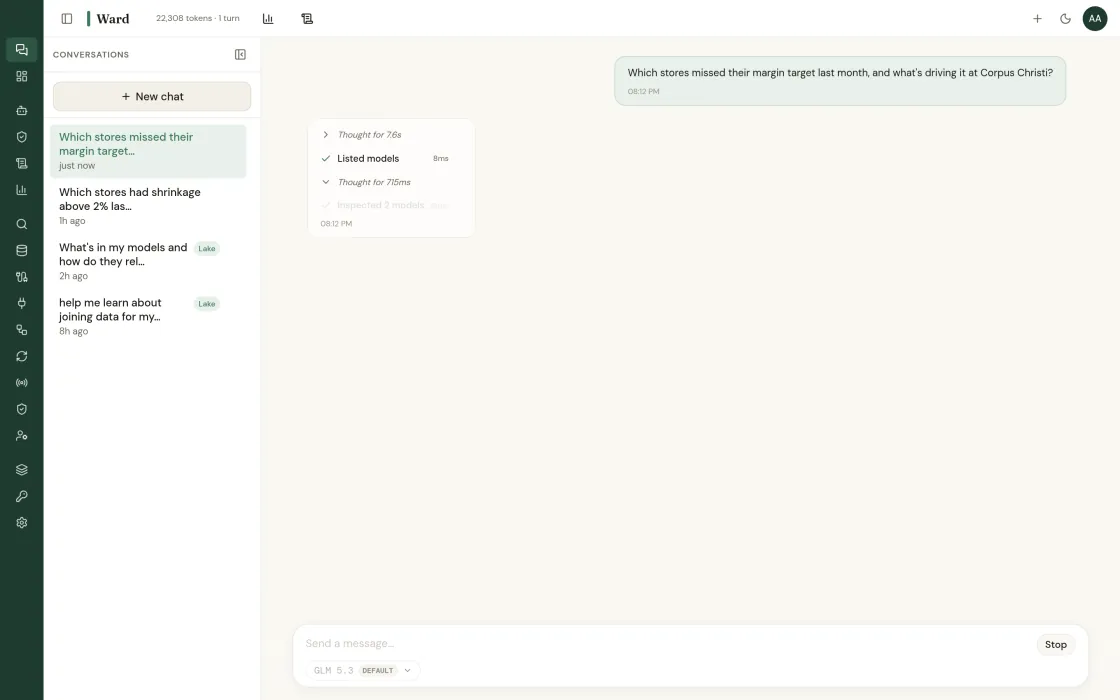
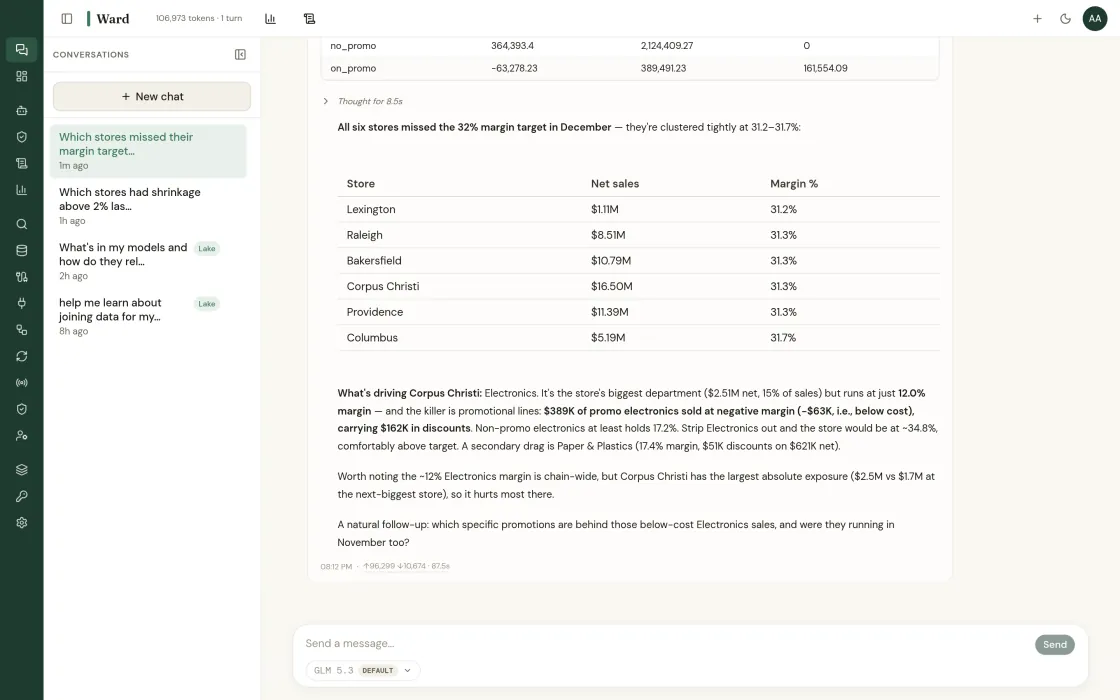
“Why did margin drop in the Southeast?” usually means three systems and a deck next week. Ward answers in seconds, across every connected source, with root causes, confidence intervals, and charts.
app.getward.ai Live demo
Acme Retail @Merchandising: VP Analyst claude-sonnet default
A

Chat

Ask anything. Ward routes to the right agent and returns cited answers.

Why did Store 37 miss target last week?
You · 9:42 AM
Schema Scout · routed to Merchandising Agent

I pulled Store 37’s last 28 days against the chain baseline. Two root causes, both compounding.

SignalFinding
labor_efficiencyRev/labor-hour −22% vs. cluster, staffing mismatch at 11a–1p peak
inventory.freshFresh fill 83%, backroom replenishment lag at 2–4p
promo.liftBOGO crackers cannibalized Brand Y by 28%, net category +6%

Recommend: re-baseline Store 37 schedule against true peak, raise replen window to 1p, and review the BOGO before next cycle.

8 parallel queries 3 sources cited confidence 0.92
Show me how to fix the staffing mismatch.
You · 9:43 AM
Labor Agent · drafting schedule diff
Querying labor_scheduling
Ask anything, Ward routes to the right agent. Cmd+K

Dashboards

Pinned views built from saved data-lake queries.

Revenue vs. forecast +4.2% WoW
Gross margin % −3.2pp
Fill rate, fresh 83%
Shrink, West region +0.8pp

Models

Browse, search, and manage data–lake model definitions for your tenant.

NameNamespaceVersion
sap_pos_transactionssap1.0
sap_inventory_shrinkagesap1.2
sap_labor_schedulingsap1.0
retail_inventory_weeklyretail1.1
retail_google_ads_dailyretail1.0
retail_meta_ads_dailyretail1.0
retail_ga4_website_dailyretail1.0

Sources

Connect external systems to the data lake.

NameTypeLast sync
sap_pos_transactionsimport2m ago
sap_inventory_shrinkageimport2m ago
sap_labor_schedulingimport14m ago
retail_inventory_weeklyimport1h ago
retail_google_ads_dailyimport1h ago
retail_meta_ads_dailyimport1h ago
retail_ga4_website_dailyimport1h ago

Architecture

Two ways to connect. Federate against your live systems, or ingest into Ward’s data lake. Toggle below.

Your systems · read-only
SAP Retail
Snowflake
BigQuery
Shopify
NCR Voyix
Ward Gateway
TLS 1.3 · AES-256
Querying live · data stays put
Federated answers
SELECT * FROM sap.pos
JOIN retail.inventory_weekly
WHERE store_id = 37
→ insight cards
Ward Data Lake
→ baselined per store
TLS 1.3 in transit AES-256 at rest Read-only credentials SOC 2 Type II underway VPC peering · PrivateLink

Pipelines

Move data from sources into models on a schedule.

NameSourceModelStatusSchedule
sync_sap_pos_transactionssap_pos_transactionspos_transactionsenabledhourly
sync_sap_inventory_shrinkagesap_inventory_shrinkageinventory_shrinkageenableddaily
sync_sap_labor_schedulingsap_labor_schedulinglabor_schedulingenableddaily
sync_retail_inventory_weeklyretail_inventory_weeklyinventory_weeklyenabledweekly
sync_retail_google_ads_dailyretail_google_ads_dailygoogle_ads_dailyenableddaily
sync_retail_meta_ads_dailyretail_meta_ads_dailymeta_ads_dailyenableddaily

Streams

Real-time ingestion pipelines.

0events / min
0streams active
0% delivered
  • pos.txn store_037, basket $42.18
  • inv.move dc_west → store_104
  • labor.clock store_022 shift_start
  • pos.txn store_211, basket $19.04

Policies

Browse and manage Cedar access policies for your tenant.

TLS 1.3 AES-256 Read-only SOC 2 II
Policy IDEffectResources
merch-read-defaultpermitModel::*
finance-read-shrinkagepermitModel::"inventory_shrinkage"
vendor-blockedforbidModel::"labor_*"
region-west-onlypermitTenant::"acme"

Entities

Principals and resources referenced by Cedar policies.

Entity UIDTypeTenant
Tenant::"acme-retail"Tenantacme-retail
Model::"sap.pos_transactions"Modelacme-retail
Model::"sap.inventory_shrinkage"Modelacme-retail
Model::"sap.labor_scheduling"Modelacme-retail
Model::"retail.inventory_weekly"Modelacme-retail
Model::"retail.google_ads_daily"Modelacme-retail

Providers

Manage LLM API keys and the model profiles that use them.

API Keys Model Profiles
NameProviderUsed byCreated
anthropic-defaultAnthropic3 profilesApr 22
openai-defaultOpenAI2 profilesApr 22
gemini-defaultGemini1 profileApr 22
ollama-onpremOllama2 profilesApr 22

LLM-agnostic. Bring your own key, route per task. No lock-in.

Settings

Manage your dashboard preferences and account.

Appearance
Theme • Light ° Dark

Light and dark themes are available. Your choice is remembered per browser.

Account
NameAdmin
Emailadmin@acme.io
Tenantacme-retail
Ward identified two root causes driving margin compression. 8 parallel queries. 1.2 seconds.

Every answer ships with its evidence trail

Every finding shows its work: the forecast model, the MAPE, the confidence interval, the source tables. Pin findings, share them, or drill deeper. Any insight traces back to the row.

Audit the query. Audit the math.

See exactly what Ward ran: the raw SQL, the chart spec, the result set, the forecast model and its parameters. Export any query to your BI tool or hand it to engineering.

Charters on file for every agent

Each agent runs under a written charter: scope, sources, allowed actions, owner, version. Every edit is logged with name, time, and approver. Diff two versions in the console.

Powered by your choice of LLM

OpenAI, Anthropic, Gemini, or bring your own. Ward’s router picks the model per task and you can switch any time. Forecasting math runs on classical models, not the LLM.

Where Chat
does the work.

The insight types that lean on chat to deliver value.

Built for the teams
that catch problems first.

Two ways to start.

Run a fixed-fee pilot on your data, or talk to advisory about a broader engagement.

Your analyst has a backlog. Ward doesn’t.

Same-day answers to questions that used to take weeks. See it on your data.

Read-only to start · your LLM keys · SOC 2 Type II underway · or book a call directly

Find out what your data has been hiding.

Tell us about your operation. We’ll show you the problems Ward catches, and the ones your current tools miss.

Step 1 of 3
What are your goals?
Step 2 of 3
About your operation
Step 3 of 3
Your contact info